
Part 1: Introduction
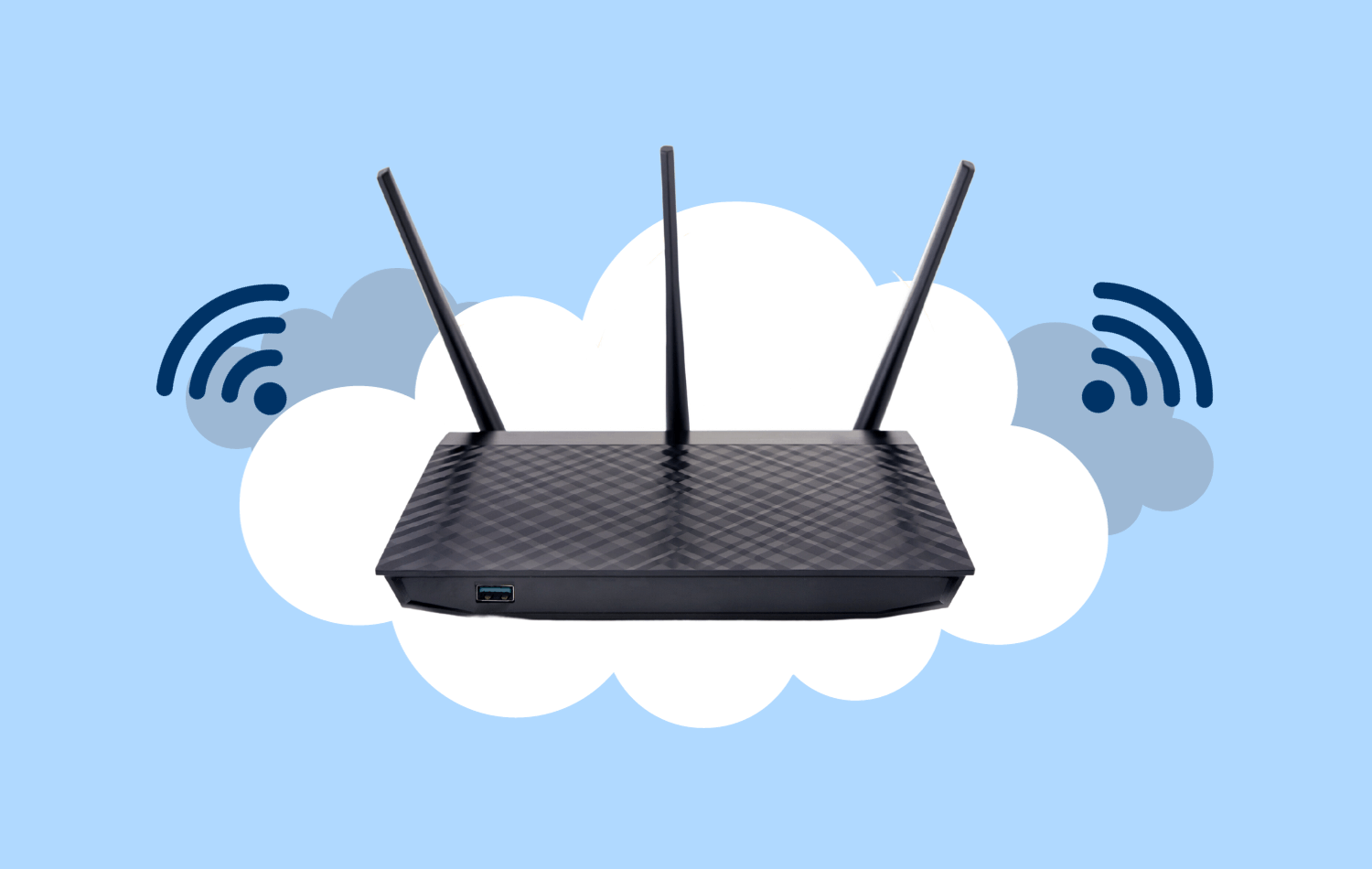
In the complex web of interconnected devices, one piece of hardware stands as the core function of all basic work: the router. Often referred to as a gateway or firewall, a router plays a distinctive role than a modem, serving as the frontline defense of your network.
Most Internet Service Providers (ISPs) lease a modem as part of their service. In some cases, they bundle it with an Internet Gateway – a fusion of modem and router. While the idea of consolidating these two elements into one convenient box seems efficient, it usually involves sacrificing the quality and rich features that a standalone router can offer.
As we delve deeper into the realm of routers, it becomes evident that the choice of this unassuming device can significantly impact your business network’s performance, security, and overall efficiency. In this article, we will explore their role in the digital ecosystem, and discover why selecting the right router is paramount for the health of your business network.

Part 2: Consumer class vs Business class routers
A common mistake some companies make is opting for the cheapest or most popular router without considering whether it is adequate for their operations and high-intensity use.
Consumer-class routers, designed for home users and smaller setups, are great for basic networking needs like web browsing, email, and streaming. However, they struggle to handle heavy traffic or simultaneous connections efficiently. While they come with essential features like Wi-Fi connectivity and a firewall, they lack advanced security measures. They tend to be more budget-friendly but may offer limited customer support, as manufacturers prioritize business-class routers.
On the other hand, business-class routers are specifically designed for small-medium businesses and larger enterprises. They provide superior performance and are able to handle higher traffic loads and more demanding networking requirements. Business routers prioritize security, offering advanced features like intrusion detection and prevention systems, content filtering, and advanced encryption protocols. They also offer virtual LANs (VLANs), Quality of Service (QoS) settings, and VPN capabilities. While business routers are more expensive due to their advanced features, they are a great return on investment. Customer support is typically more robust and tailored to meet the specific needs of businesses.
Part 3: Factors to look for when choosing a router
Having the ability to manage essential router functions or at least, complete visibility into your router’s configuration is crucial for businesses. Many ISPs provide managed routers, but the catch is you often need to contact them to make changes or even understand your current configuration.
Here are some factors you need to consider when selecting a router:
- Network Performance: Your router serves as the gateway between your business’s devices and the internet. The right router should deliver the speed and bandwidth required to handle your network’s demands, ensuring a smooth and uninterrupted data flow. This is especially important for businesses with multiple users, devices, and data-intensive applications.
configuration. - Security: Routers play a critical role in your network’s security infrastructure. A high-quality router comes equipped with advanced security features like built-in firewalls, intrusion prevention systems, and VPN capabilities. These features help safeguard your network from cyber threats and unauthorized access.
- Scalability: As your business grows, so will your network requirements. A router designed for scalability can accommodate additional devices and users without compromising performance. This scalability is essential to prevent network congestion and slowdowns as your business expands.
- Quality of Service (QoS): Some routers offer QoS settings, allowing you to prioritize certain types of network traffic. This is crucial for businesses reliant on real-time communication, video conferencing, or other time-sensitive applications. QoS ensures that critical data is given priority over less important traffic.
- Remote Access: With the rise of remote work and mobile devices, having a router that supports secure remote access is paramount. Features like VPN support enable employees to connect to the company network securely from outside the office, enhancing flexibility and productivity.
- Reliability: A reliable router minimizes downtime and potential disruptions in your business operations. Investing in a reputable router brand known for durability and consistent performance can save you from frequent technical issues.
- Support and Updates: Reputable router manufacturers provide regular firmware updates to address security vulnerabilities and improve performance. Opting for a router from a trusted brand guarantees that you’ll have access to ongoing support and updates, ensuring your network remains secure and up-to-date.
- Compatibility: Different routers offer various features and compatibility options. Selecting a router that aligns with your existing network infrastructure and devices is essential to avoid compatibility issues that could disrupt your operations.
- Manageability: Ensure your IT provider can efficiently support and manage the router remotely. While initial costs may be higher, the convenience of remote management will save you time and money in the long run. Make sure your IT team is well-versed with the platform chosen for seamless operations.
Take the time to evaluate your business’s needs and invest in a high-quality router that will serve as the foundation of your business network. Need assistance? Schedule a free consultation with Gravity IT Solutions. Your network’s security and performance are our priority.

Part 4: Determine the right router for your business needs
Selecting the right router for your business is anything but a one-size-fits-all endeavor. To make an informed choice, you must begin with an in-depth appreciation of your business’s unique requirements.
Your initial step entails a thorough comprehension of your business’s bandwidth requirements. It goes beyond merely counting the number of employees; it encompasses all devices connected to your network, including mobile devices, VoIP phones, and computers. Take into account the volume of cloud applications, web meetings, and daily web browsing hours. Your broadband connection should be readily upgradeable to accommodate your staffing needs for at least the next three to five years. When in doubt, overestimating is always better than underestimating.
Determine how heavily your business relies on wireless access. Do your employees primarily use Wi-Fi, or do they have wired connections? If a significant portion of your work occurs via wireless connections, you’ll need a router that excels in Wi-Fi performance. Assess how many wireless access points are needed throughout your office. Be sure to factor in various networks like guest Wi-Fi and point-of-sale (POS) networks.
In many industries like healthcare (HIPAA), finance (PCI DSS), or personally identifiable information (PII), regulatory bodies often mandate specific network security measures. If your company handles sensitive data, your choice of router should align with these compliance requirements. Ensure your router can facilitate necessary security protocols, data encryption standards, and access controls mandated by your industry’s regulations.
Your business insurance may have specific network security criteria you must implement to be eligible for coverage in case of a cyber incident. Your router choice should, at a minimum, fulfill these requirements, otherwise, you might jeopardize your insurance coverage.
If you require comprehensive logs of network events, including user activity, traffic patterns, and security incidents, your router should support this capability. This feature aids in incident detection, investigation, and compliance reporting.

Part 5: Router Quoting-Installation Process
Choosing a router for your business isn’t as simple as a quick online pick; it’s a methodical process comprising five critical steps:
- Assessment of Needs: The IT service provider will ask you the questions laid out in part 4. After verifying your internet requirements and completing the router sizing tool, they will generate an estimate of usage expectations, security prerequisites, and network infrastructure type.
- Router selection and quotation: The IT service provider selects a router model that aligns with your needs and specifications. A formal quotation is prepared, which outlines the chosen model, its features, pricing, and any additional services you might require.
- Quote and Needs Review: The IT service provider discusses the provided quotation and addresses any queries you might have. Further customization may be added to the quote to satisfy specific requirements, such as VPN, or refining QoS parameters.
- Finalization of Quote: Once you are satisfied with the router selection and customization, the quote is finalized, and the IT service provider proceeds with the procurement of the router.
- Pre-configuration: The IT provider configures the router for your needs prior to delivery. The initial stages include configuring basic network settings, security settings, and wireless functionality
- Installation: The service provider gets to work installing the router on-site, setting up network parameters, fortifying security measures, and establishing any desired functionalities.
- Testing: The testing phase follows, examining network connectivity, conducting security audits, and assessing performance to ensure everything is operating seamlessly.
- Deployment and Training: Once testing is successfully completed, the router is deployed. The IT service provider may offer training to your in-house IT team on router management and maintenance.
Selecting the appropriate router for your business is a pivotal decision impacting network efficiency, security, and overall functionality.
We’re here to assist you. Our experienced team will conduct an in-depth analysis of your business to identify the most suitable router for your operations. We’ll integrate the chosen router into your network, ensuring optimal performance while fortifying security measures. Contact Gravity IT Solutions today.